On this page
- Why the "Hybrid" Model is the Only Way Forward
- What "HIPAA Compliant" Actually Means (Hint: It’s Not Just a Sticker)
- PMS Integration: The Difference Between a Tool and a Burden
- The ROI: Why Your Staff Will Thank You
- Choosing the Right Vendor: The Buyer’s Checklist
- Implementation: How to Roll It Out Without the Chaos
- Case Study: The Pivot to Efficiency
- Future-Proofing Your Practice
- Related Voksha Resources
- Frequently Asked Questions
Your front desk is currently a pressure cooker. Between the relentless, soul-crushing ring of the telephone, the manual grind of data entry, and the absolute chaos of rescheduling appointments, your staff is in a state of perpetual triage.
Think about it: every missed call isn't just an administrative hiccup. It’s a lost opportunity. It’s a patient who, after hearing the fourth ring, hangs up and calls the practice down the street that actually picks up. That’s not just a missed appointment; that’s a revenue leak that compounds daily.
Integrating a HIPAA-compliant AI receptionist isn't about chasing the latest tech trend. It’s a survival strategy. It’s about reclaiming your team’s sanity and protecting your bottom line. By deploying an intelligent, "hybrid" model, you automate the mundane—the repetitive, soul-draining tasks—so your staff can focus on what actually matters: the patients standing right in front of them.
Why the "Hybrid" Model is the Only Way Forward
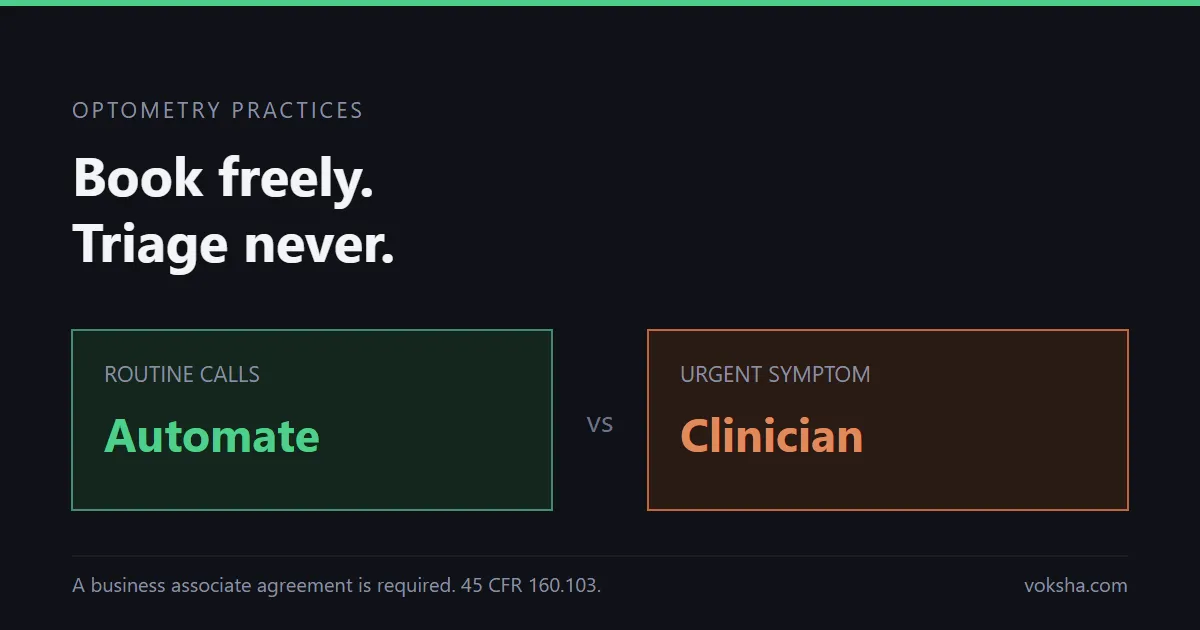
Forget the dream of "total automation." It’s a fairy tale, and a dangerous one at that. A bot trying to perform clinical triage is a lawsuit waiting to happen. You don't want a machine guessing whether a patient needs an emergency root canal or just a routine cleaning.
The industry has landed on a smarter approach: the "human-in-the-loop" philosophy. Here, the AI acts as your tireless gatekeeper, and your human staff remains the ultimate decision-maker.
- Patient call received: the AI answers and works out what the caller needs.
- Administrative task (schedule, update, FAQ): the AI handles it and records the result.
- Clinical or complex inquiry: the AI hands the call to your staff, who resolve it.
- Either way: the call is logged and the data is encrypted.
In this setup, the AI handles the high-volume, low-complexity stuff: confirming appointment times, updating addresses, or answering basic FAQs. When a patient calls with a symptom-related concern or a messy billing dispute, the AI flags it and routes the call to a live person. Your front desk stops being a call center and starts being a patient experience center.
What "HIPAA Compliant" Actually Means (Hint: It’s Not Just a Sticker)
Compliance isn't a checkbox you flip on. It’s a rigorous standard of data stewardship. You’ll see plenty of vendors claim to be "HIPAA-ready," but in the eyes of the law, that’s just marketing fluff.
The cornerstone of compliance is the Business Associate Agreement (BAA). If a vendor hesitates to sign a BAA, walk away. They aren't a partner; they’re a liability you don't need.
According to the HHS guidelines for professionals, you are responsible for ensuring that any third-party handling Protected Health Information (PHI) plays by the rules. Your AI receptionist should encrypt data at rest and in transit. Voksha, for example, uses AES-256 at rest and TLS 1.3 in transit in North American data centers and is SOC 2 compliant and ISO 27001 compliant on every plan, while HIPAA compliance with BAAs, GDPR and CCPA compliance, and a 99.9% uptime SLA are on the Enterprise plan only (security practices). Don't stop there. Demand evidence that the vendor follows SOC 2 practices, and confirm which plan includes the BAA. This isn't just a fancy acronym; it’s an audit that proves the vendor actually has the operational guts to keep your data secure year after year. If the data isn't auditable, you’re playing with fire.
PMS Integration: The Difference Between a Tool and a Burden
The biggest mistake offices make? Treating an AI receptionist like a glorified answering machine. If your AI takes a message and shoots you an email, you haven't automated anything. You’ve just created a new task: transcribing that email into your system.
The gold standard for 2026 is bi-directional API synchronization. When a patient calls to reschedule, the AI should check your live calendar in real-time, offer slots based on your specific rules, and lock the appointment in—all without a single keystroke from your team.
Whether you’re running Dentrix, Open Dental, or Eaglesoft, ask each vendor exactly how it connects: deep integration is the difference between a tool that creates more work and a tool that actually saves time. With Voksha, integrations are on the Premium and Enterprise plans: practice management systems such as Dentrix are set up with Voksha support rather than connected yourself, and calendars such as Google Calendar, Microsoft Outlook and Apple iCloud connect from the dashboard and book during the call. See Voksha's AI receptionist for dental practices for more. Booking against a live schedule is what prevents those "double-booking" disasters that keep practice managers up at night.
The ROI: Why Your Staff Will Thank You
We often talk about AI in terms of "saving money," but that’s too narrow. Look at the ROI of answering every call. If your front desk is busy helping a patient at the window, the phone is essentially a paperweight. Every ignored call is a potential loss in production revenue.
An AI receptionist doesn't get tired. It doesn't take lunch breaks. It doesn't have a bad day. It greets every caller instantly, 24/7. When you stack this up against the cost of a full-time employee—a receptionist's median pay is $38,010 a year, or roughly $54,300 fully loaded with benefits and payroll costs (BLS Occupational Outlook Handbook, Receptionists; fully loaded figure is ANALYSIS)—the gap is large. You aren't replacing your staff; you're giving them a force multiplier.
Choosing the Right Vendor: The Buyer’s Checklist
Don't let the sales pitch dazzle you. Focus on these four pillars:
- Natural Language Processing (NLP): Does it sound like a 2010 robot, or can it handle accents, interruptions, and natural human cadence? If the AI can’t handle a patient correcting themselves mid-sentence, it’s going to frustrate your callers.
- BAA Readiness: No BAA, no deal. Period.
- PMS Sync Depth: Does it read and write to your schedule? If it can only "send a notification," keep looking.
- Human Handoff Protocols: Can the AI pass the baton to a human without the patient having to explain their life story all over again?
Implementation: How to Roll It Out Without the Chaos
Transitioning to AI isn't a massive overhaul; it should be a quiet, phased rollout.
- Phase 1: Workflow Mapping. Spend a week auditing your phone logs. What are the top five reasons people call? Those are your targets.
- Phase 2: Integration. Connect your calendar and work with the vendor to map the details the AI should capture on each call, so bookings and messages land where your team already works.
- Phase 3: The Hybrid Protocol. Train your staff on the "handoff." Define exactly what the AI handles. When your team sees that the AI is catching the "trash" calls—the simple confirmations and address updates—they’ll quickly realize the tech is there to support them, not replace them.
Case Study: The Pivot to Efficiency
This is a hypothetical illustration, not a customer case study. Picture a mid-sized dental practice bleeding calls during peak hours that deploys a secure AI receptionist to catch what its front desk was missing.
The real win in a case like this is time. A practice could reclaim hours a week that used to be swallowed by scheduling minutiae, redirecting that time to patient follow-ups and high-value consultations. The staff doesn't feel threatened; it feels liberated. If you’re curious about how we help practices implement these secure workflows, it starts with identifying the specific bottlenecks unique to your office layout.
Future-Proofing Your Practice
The gap between the practices that adopt AI and those that resist is widening every single month. While some fear the technology, the innovators are using it to provide a level of patient service that was previously impossible without a massive, expensive staff.
By securing your communications and automating the routine, you aren't just saving money—you’re positioning your practice as the efficient, patient-first leader in your area.
This guide explains what HIPAA asks of vendors; it is not legal advice. Before any vendor handles patient calls, confirm your obligations, and the BAA itself, with your own counsel.
Ready to stop losing revenue to the ringing phone? Voksha's BAAs are on the Enterprise plan, so talk to our team about Enterprise to see how it fits your existing workflow.
Related Voksha Resources
- Dental answering service
- Dental virtual receptionist
- Best AI Receptionists for Dental Practices
- Dental Office Phone Automation: How to Reduce No-Shows and Capture Leads
Frequently Asked Questions
Does using an AI receptionist make my practice non-compliant with HIPAA?
Not by itself. Compliance depends on the vendor's safeguards and on how your practice uses the service. Look for a vendor that signs a Business Associate Agreement (BAA), encrypts data at rest and in transit, and holds a SOC 2 report. Voksha's HIPAA compliance with BAAs is on the Enterprise plan only. A vendor's safeguards don't make your practice compliant on their own, so confirm your obligations with your own counsel.
Can an AI receptionist handle complex medical/dental questions?
It should not. Clinical queries, such as "is this toothache normal after my root canal," should always be routed to your professional staff. The AI’s role is to handle the administrative heavy lifting—scheduling, intake, and FAQs—leaving the expert care to your humans.
Is AI receptionist software actually cheaper than hiring a human?
In almost every case, yes. When you calculate the total cost of employment—salary, benefits, training, and the cost of turnover—an AI solution is a fraction of the price. Furthermore, it provides 24/7 availability, meaning you are capturing revenue even when your office lights are off.
What is the difference between a standard answering service and a HIPAA-compliant AI?
A standard answering service is passive; they take a message and pass it to you. A HIPAA-compliant AI receptionist is active: it can book appointments into your calendar during the call, capture intake details, and route clinical calls to staff, acting as an extension of your front-desk team. How deeply it connects to your Practice Management System varies by vendor and setup.